



Make the switcher yours.
Set it up once to match how you work. After that, switching just feels obvious.
Your shortcut
Hold ⌘, ⌥ or ⌃ with any trigger key you like. Tab is the default, and Shift goes backwards.
Your look
Thumbnails, app icons or a list. Small, medium, large or auto size. Light, dark or follow the system.
Your order, your filters
Sort by recently focused, recently launched or name. Choose whether minimized, hidden and fullscreen windows show up.
Per app or per window
Keep one item per app, or list every window on its own so two browser windows never hide behind each other.
Current screen or all screens
Show only what's on the screen you're using, or everything. Saltabo follows the Space you're in.
Supports 10 languages
English, Vietnamese, French, German, Spanish, Japanese, Simplified Chinese, Korean, Portuguese and Italian.
Dock previews
Hover an app in the Dock to see its windows, then click one to jump to it. Set the size, distance and titles.
Excluded apps
Keep the apps you never switch to out of the way.
Ultimate control
Close or minimize windows from the switcher, or press / while the switcher is open and type an app or window name.
Three ways to see your windows
Pick the switcher style that suits how you work. You can change it any time in Settings → Appearance.
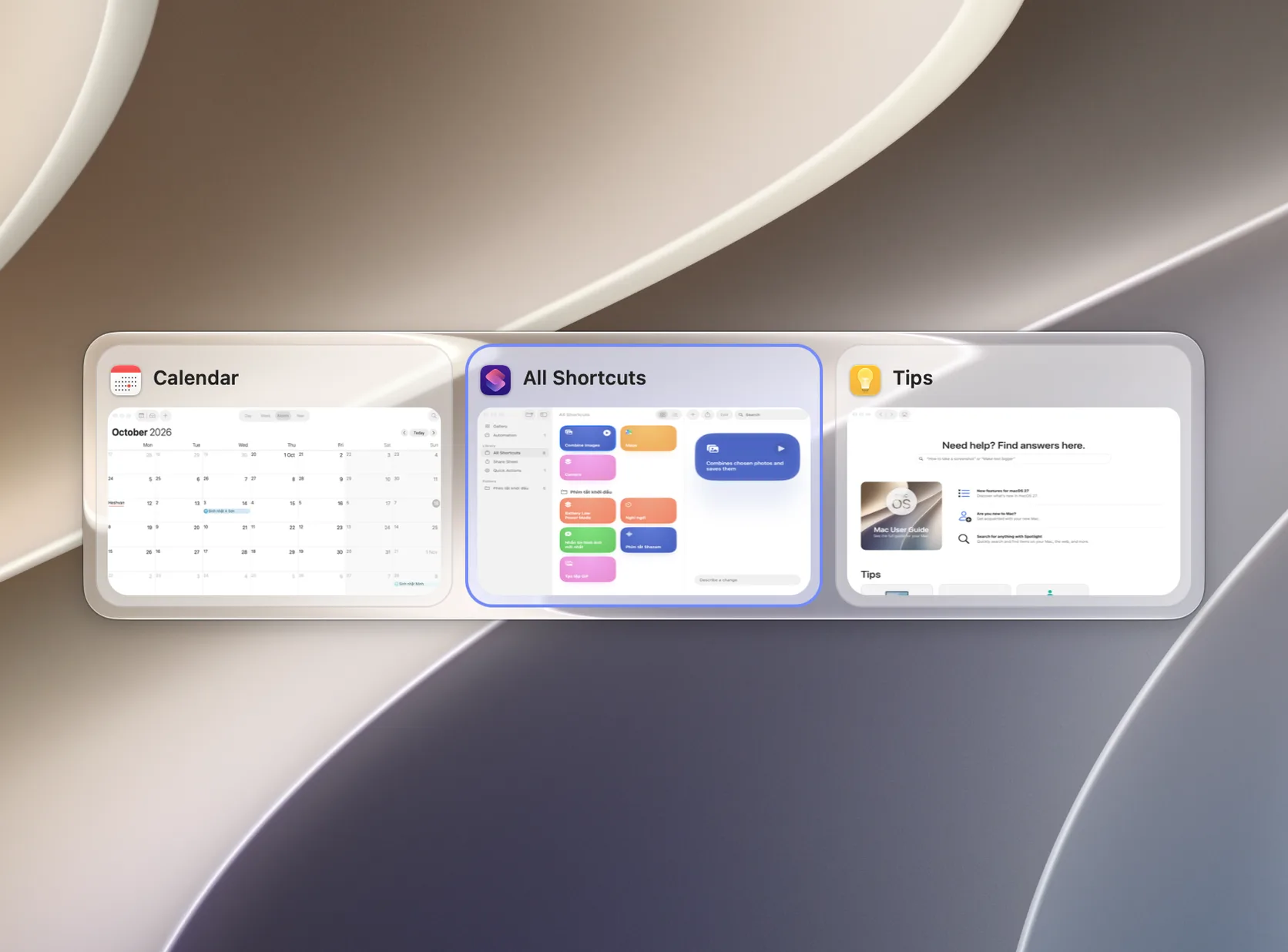
Screenshot from Saltabo's Settings → Appearance.
Up and running in a minute
Download & install
Unzip Saltabo and move it to Applications. If you open it from somewhere else, the app offers to move itself.
Grant two permissions
Accessibility lets Saltabo raise the exact window. Screen Recording lets it draw window thumbnails. Both stay on your Mac.
Press ⌘ + Tab
Hold ⌘, tap Tab to cycle and release to jump. Change the shortcut, style and filters from the menu bar icon → Settings.
Frequently asked questions
Try Saltabo now.
You get every Pro feature for 14 days. After that, the switcher stays free.
Requires macOS 13 Ventura or later · Apple Silicon & Intel